OSS projects handle security issues every day. I have personally issued CVEs and responded to them.
Recently I handled CVE-2025-62596.
It is common to read CVEs and Security Advisories that summarize information after disclosure.
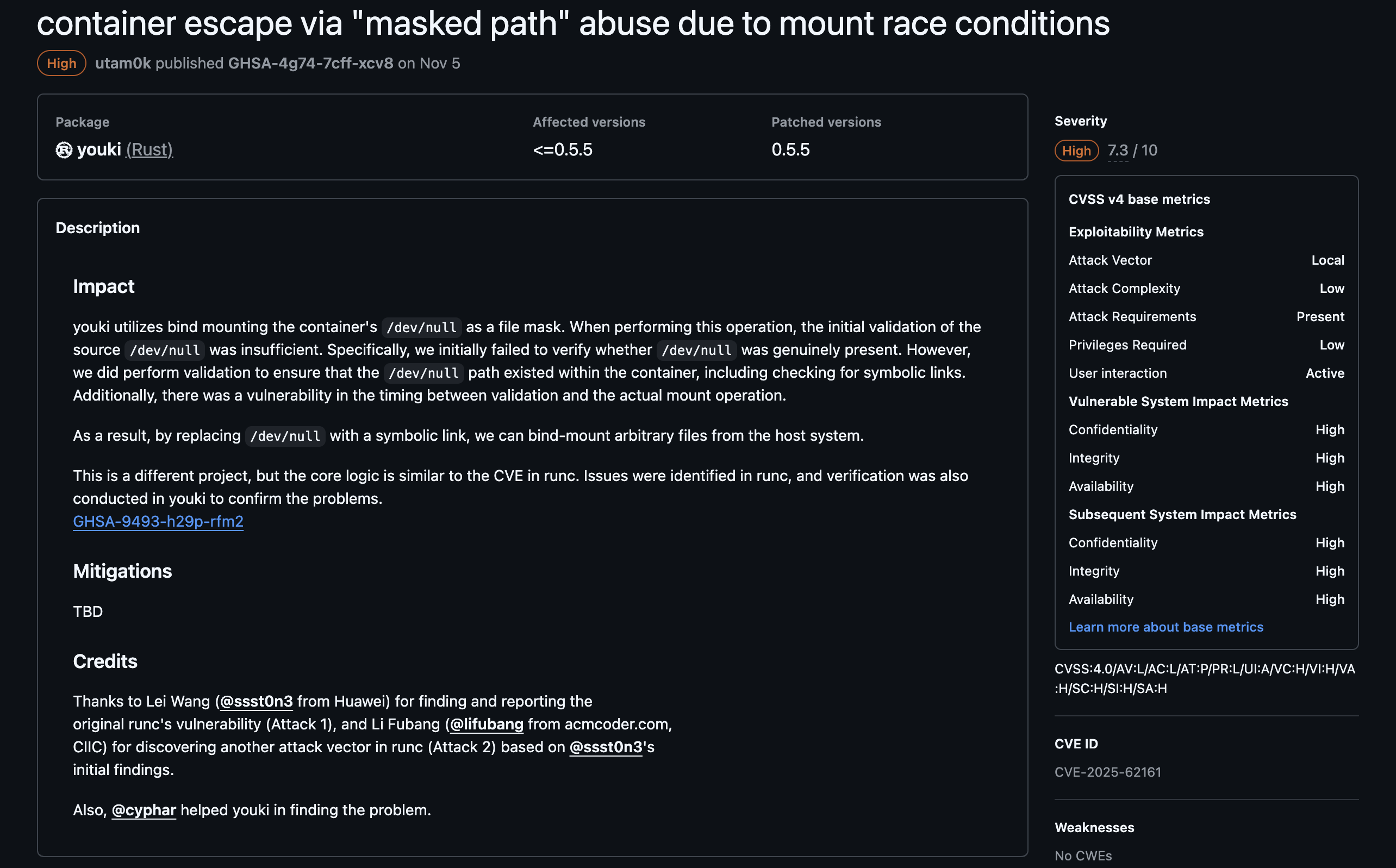
Behind those public documents, there is a lot of effort by maintainers and other contributors who do not appear in the credits. The steps that happen before disclosure are also rarely visible in those public pages. This article briefly introduces what is hard to see from public information: the discussions after receiving a report, getting a CVE, and the path to publication.
Overview: OSS Vulnerability Response Flow
This is just one example, but for OSS hosted on GitHub, the flow often looks like this:
- Receive a vulnerability report
- Verify the vulnerability
- Create a Security Advisory and invite relevant people
- Discuss the issue and decide on details such as CVSS (Common Vulnerability Scoring System)
- Request and obtain a CVE
- Create a patch and review it
- Coordinate with vendors and related OSS maintainers
- Merge the patch and publish the Security Advisory
Steps 1 and 2 are often handled by email. Steps 3 to 8 can be completed within GitHub's features.
What Happens Behind the Scenes
From here, I will dig into what happens at each step behind the scenes.
Determining Whether It Is a Vulnerability
First, we receive a report about a suspected issue and determine whether it is truly a vulnerability.
The people who report these issues are often:
- Security vendor researchers
- Security researchers at large companies
- University researchers
After receiving the report, we usually do the initial triage and verification over email. This can be the hardest part. Some reports are difficult to reproduce. For example, race-condition issues are much harder to validate.
In my domain, some reports end up being "expected behavior" rather than vulnerabilities. Even when it turns out not to be a vulnerability, maintainers still spend time validating and responding. So casually throwing low-quality reports at maintainers, for example using LLMs, is painful. curl has also mentioned this issue.
#hackerone #curl | Daniel Stenberg | 255 commentsThatDiscussion
If we agree there is a potential vulnerability, we create a GitHub Security Advisory.
Typical Security Advisory screen
There are many features in Security Advisories that are not visible publicly. Thank you, GitHub. These features are available only to people invited as collaborators on the advisory. Collaborators often include not only maintainers, but also reporters and maintainers of related OSS. An advisory is not public when first created. It is visible only to collaborators. Publication happens later. Collaborators discuss the issue privately, similar to a private GitHub Issue.
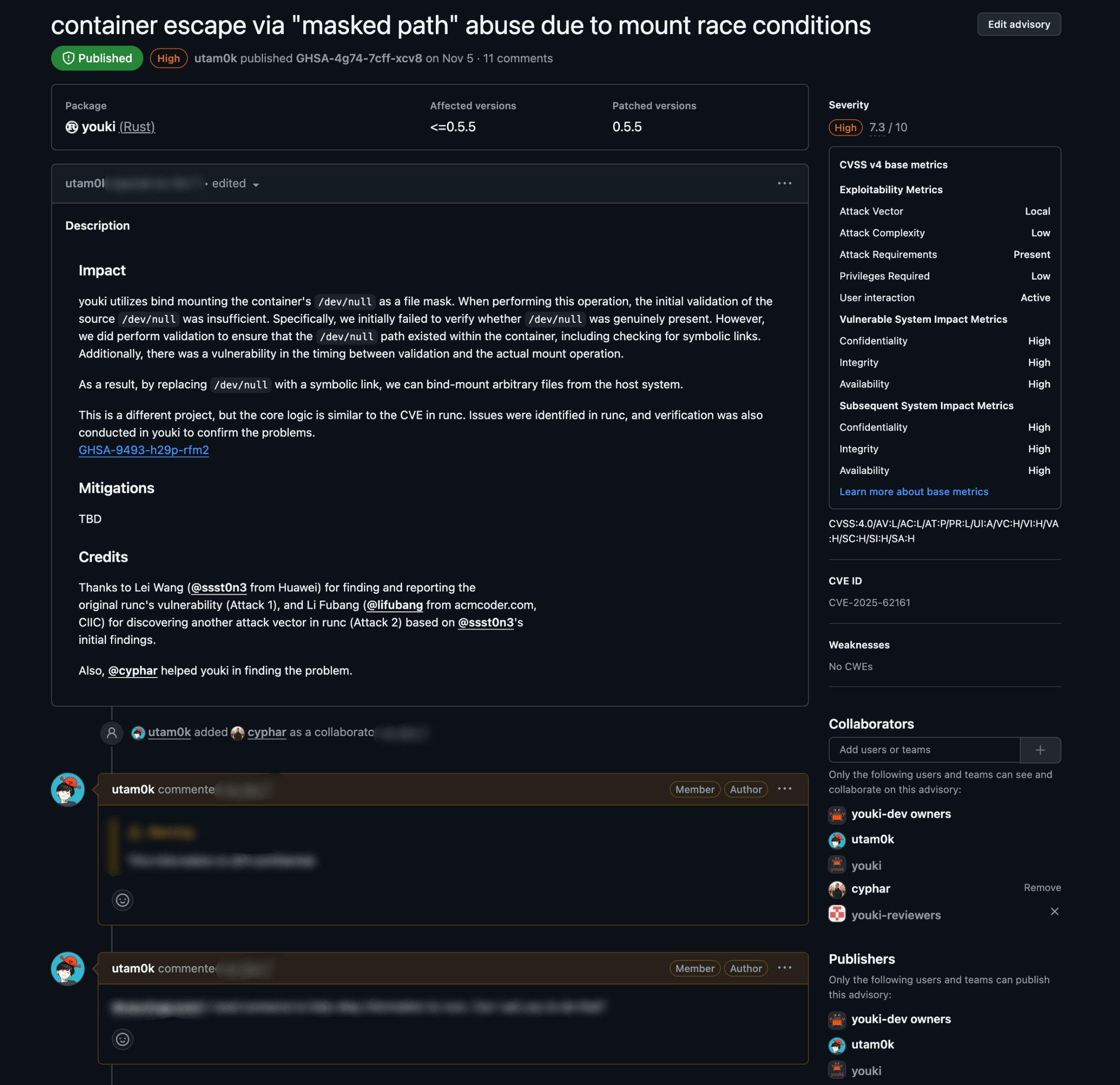
Security Advisory collaborator view
This is where discussion happens and PoCs are created. CVSS scores are also discussed here.
Getting a CVE ID
Once the discussion confirms the issue as a vulnerability, we proceed to obtain a CVE ID. We fill in the advisory overview, CVSS, affected versions, and click "Request". GitHub handles the CVE request. Maintainers just fill in the fields and press the button.
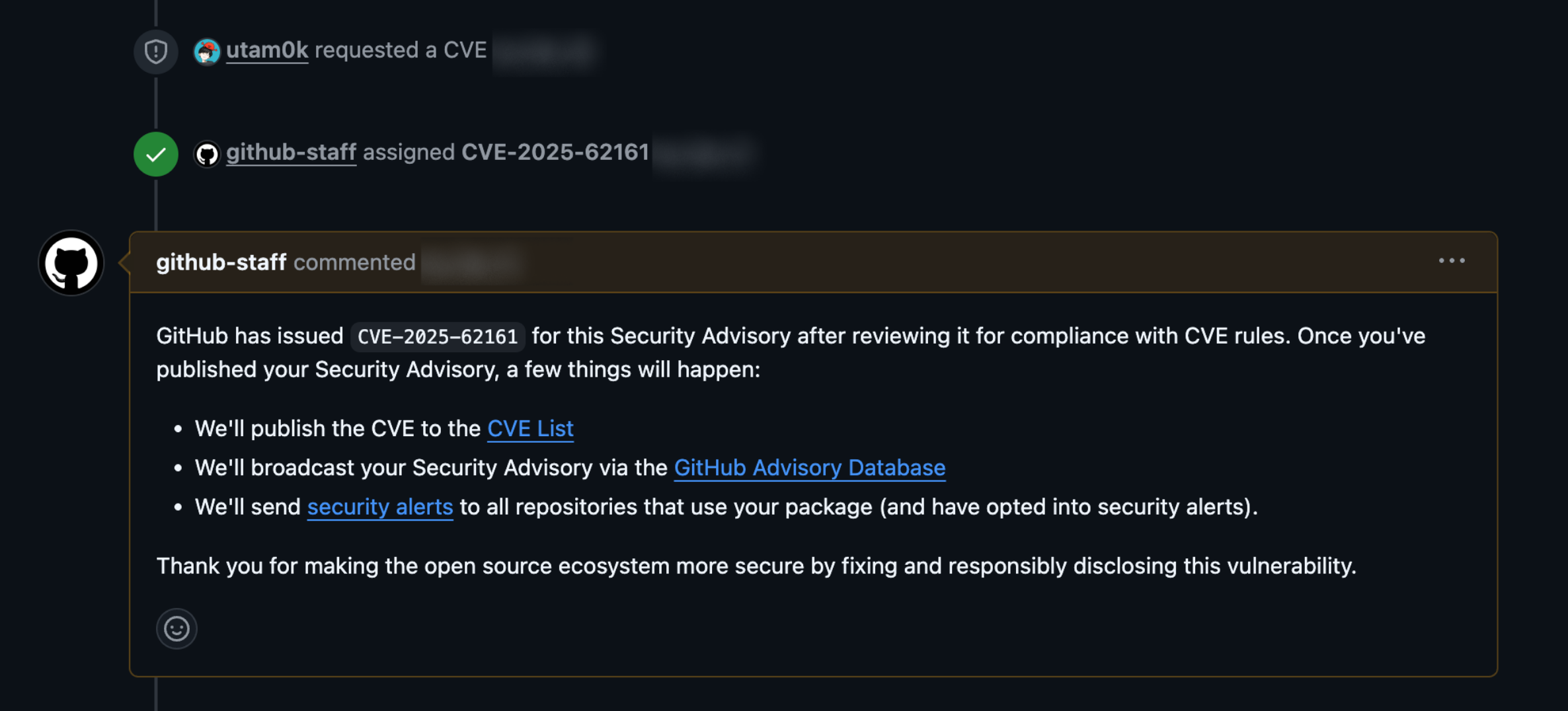
CVE ID request
It seems they also do a quick sanity check on whether a CVE is warranted. I have had a request rejected for valid reasons.
// I rewrote it and obtained the CVE successfully.
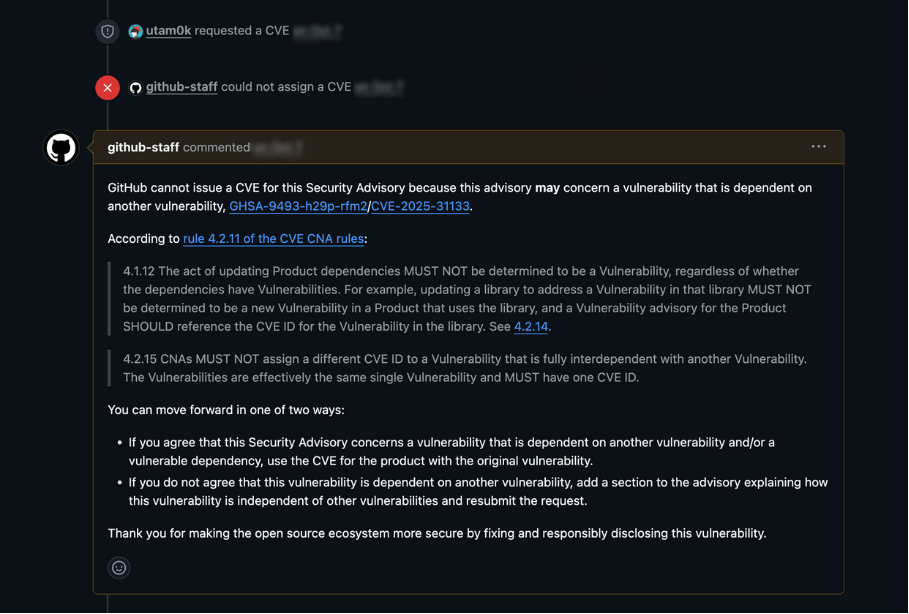
Example of a rejected CVE request
Creating the Patch
At this point, we work on the patch. In practice, patch work often starts in parallel with the CVE request and discussion. We use GitHub's temporary private fork. As the name suggests, a repository visible only to collaborators is created. The PR made there is linked to the Security Advisory. When that PR is merged, it is applied directly to the main repository. This allows a private, normal development experience for patching and review among collaborators.

temporary private fork screen
However, GitHub Actions does not run on temporary private forks. At the time of writing, no availability is shown. GitHub Security Advisory private forks support Actions
I have seen CI fail after merging. For larger OSS projects that must support many environments, this can be a real limitation.
Publication
Once the PR is ready and the CVE ID is obtained, we are ready to publish.
However, disclosure is not always immediate. For widely used OSS, maintainers may give major distributions and cloud vendors time to prepare so users can patch quickly at disclosure time. The Open Container Initiative defines an Embargo Policy and shares vulnerabilities and patch details with registered vendors in advance.
When ready, you can publish by clicking "Publish advisory" on the Security Advisory screen. There is official GitHub documentation for this step. Publishing a repository security advisory - GitHub Enterprise Cloud Docs
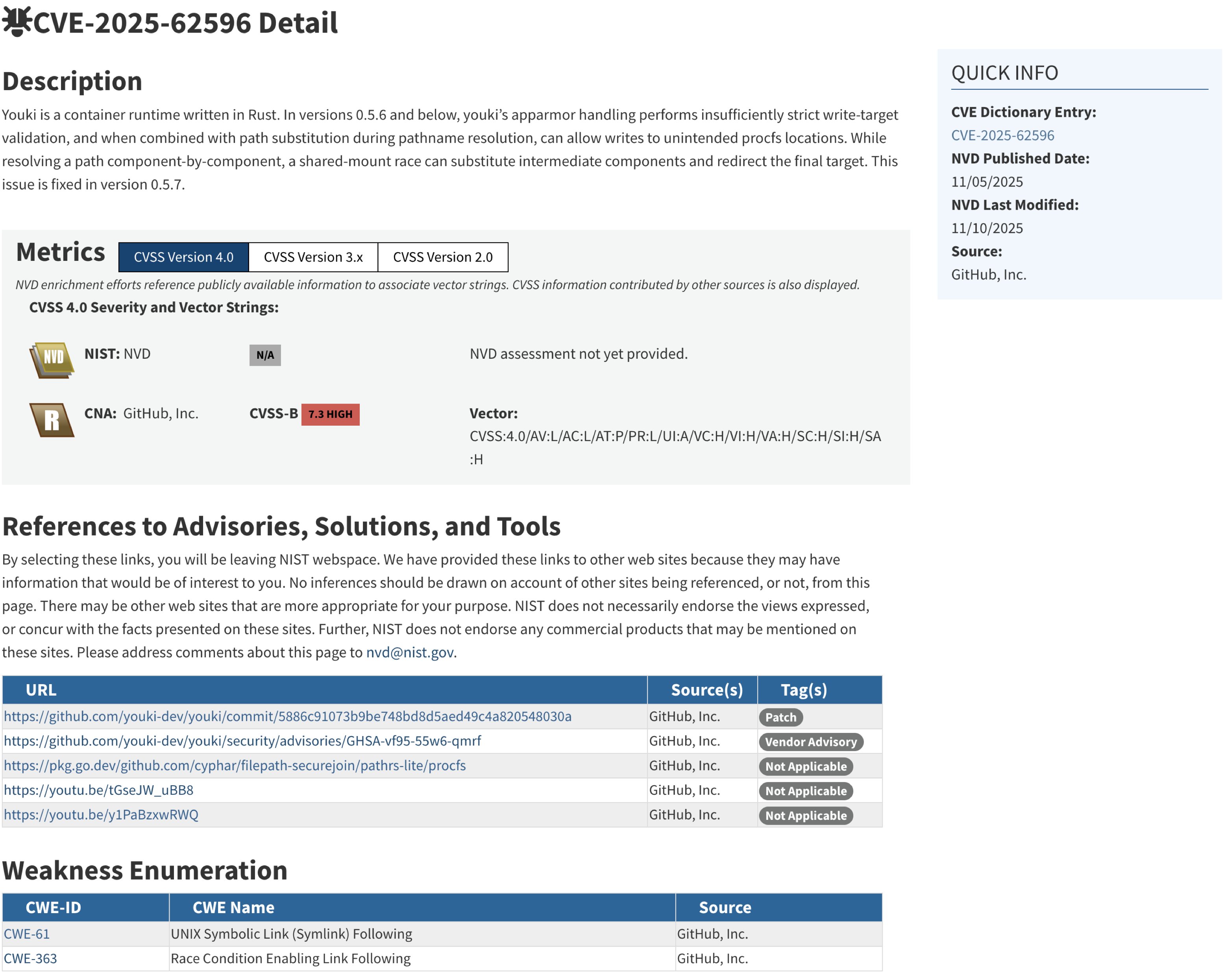
After publication, Dependabot alerts and CVE pages begin to update. I do not know exactly who updates the CVE pages, but it looks like GitHub handles it. For example, on the CVE-2025-62596 page, GitHub is listed as the source. I did not add that myself.
Closing
As you can see, OSS vulnerability response involves many tasks beyond just writing a patch. When reporting a vulnerability, providing a clear and reproducible PoC will be greatly appreciated. Thank you to all developers who handle these issues every day.